




Non Lethal Applications Video Sync 6 Pro
Non Lethal Applications Video Sync 6 Pro
Pro Version of State-of-the-art synchronized video player
VIDEO-SYNC-6-PRO
£409.00 Price excludes VAT
Product lists can be submitted to HHB for a packaged quotation

Powerful Synchronised Video Playback for All Major DAWs
Video Sync ensures accurate video playback in sync with all major DAWs, including Pro Tools®, Logic Pro X, Nuendo, Cubase, Ableton Live!, Bitwig, Studio One and Reaper.
Pro Tools|HD™ or Pro Tools|Ultimate™ users can even harness the power of Avid’s own Satellite Link protocol allowing Video Sync to seamlessly follow Pro Tools’ timeline selections, scrubbing, and looping.
Free up your DAW’s CPU by letting Video Sync handle video tasks or use a separate computer to eliminate video playback load entirely.
Spot Media – Set – Go!
Say goodbye to time-consuming transcoding—just drop your video into Video Sync and let it handle the rest. All commonly used codecs and containers are supported.
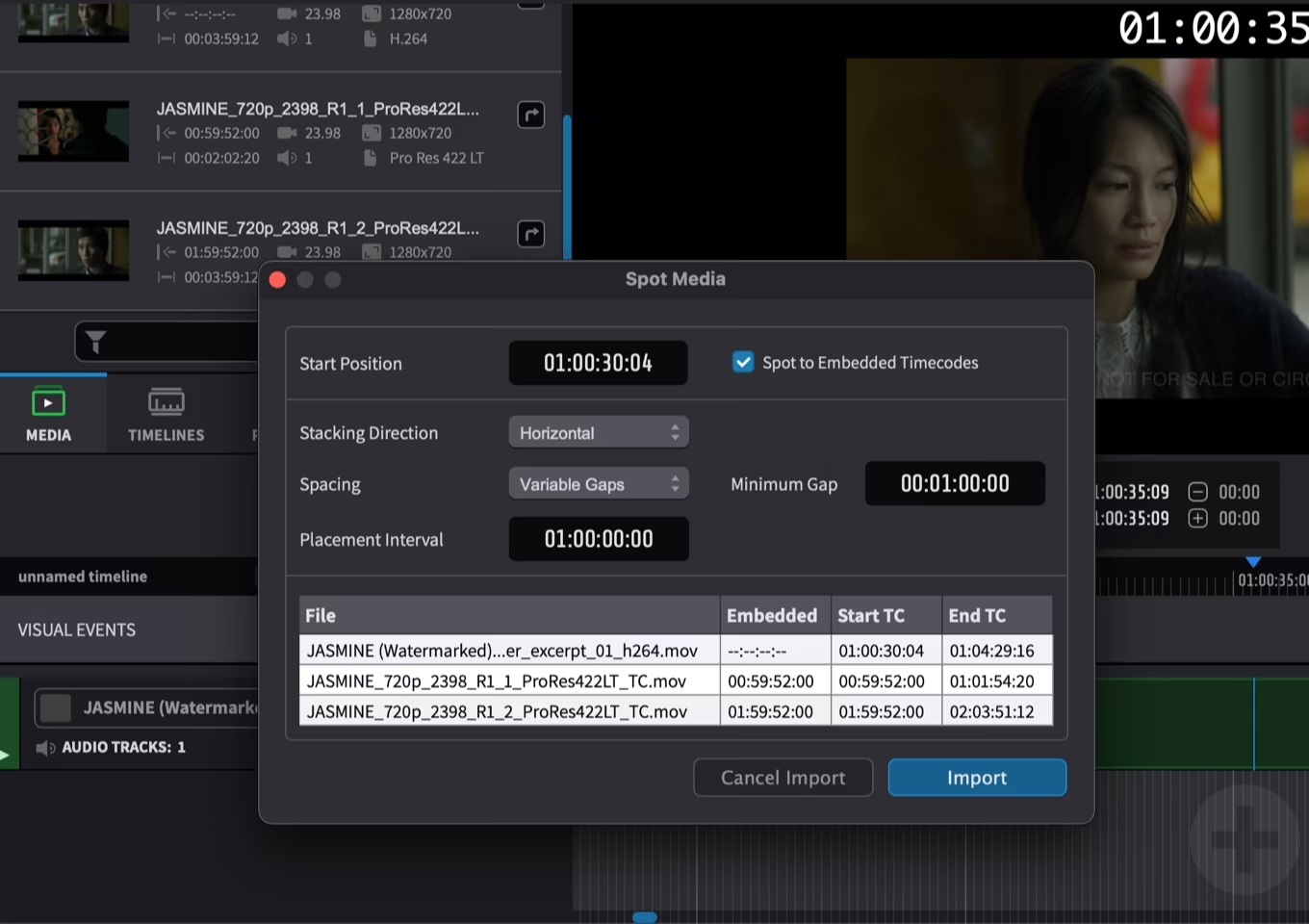
Video Sync 6’s new Spot Media window will get you up and running in no time with its powerfully comprehensive bulk import features. Spot multiple video and audio files such as stems – all in one go.
 Multiple Video Outputs and Advanced Playback Modes
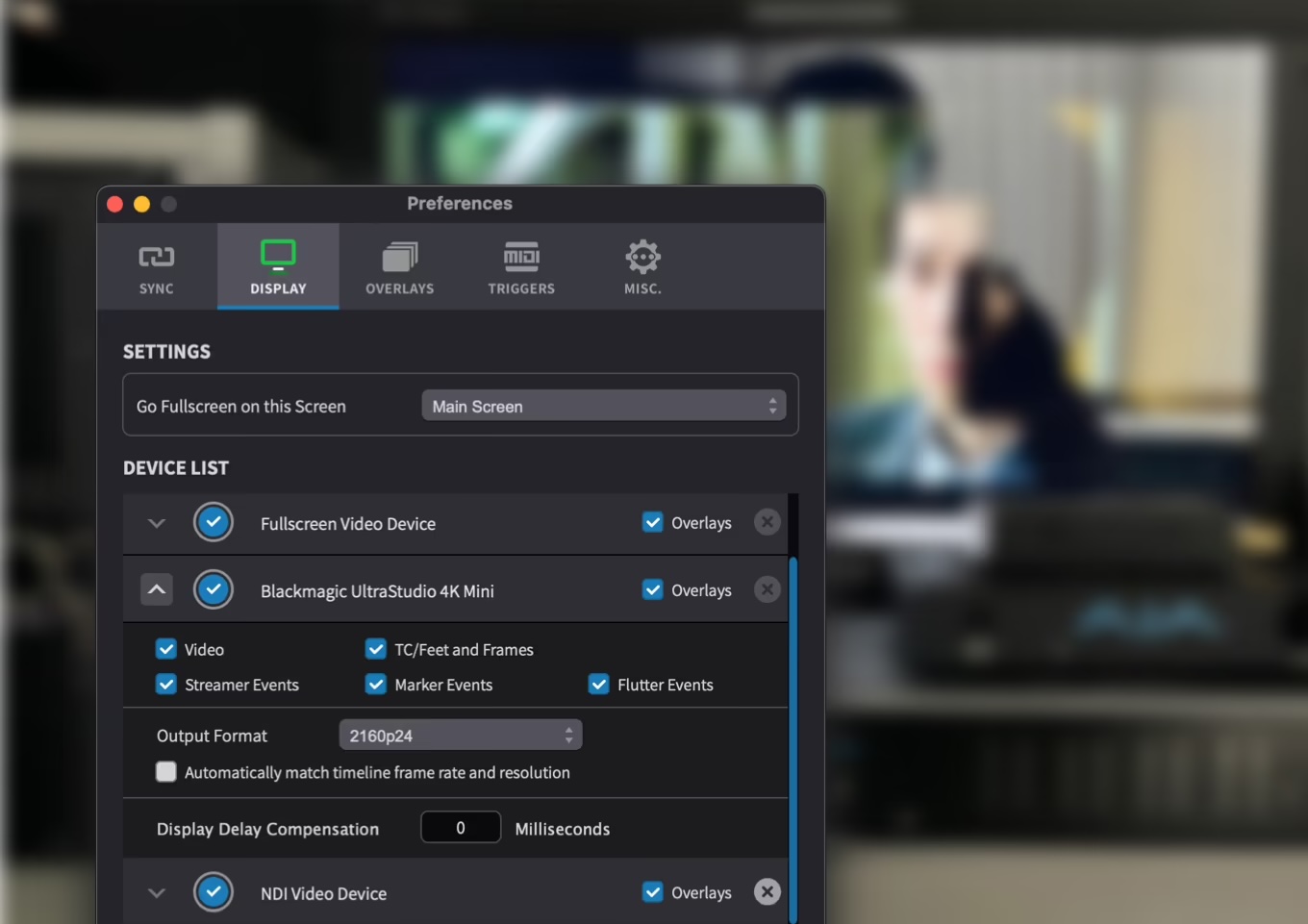
Enjoy seamless playback across multiple video outputs, including the onscreen player in the main, fullscreen, or Mini Player window, external video devices from AJA and Blackmagic Design, or an optional NDI video output for video over IP. Video Sync ensures perfect synchronization of all devices with Projection Delay Compensation for each individual video output, achieving even tighter gen-locked sync with the Video Reference option.
Additionally, Video Sync offers handy Dual Playback modes like Picture-in-Picture or Side-by-Side to aid with foley recording or comparing picture cuts, enhancing your production workflow.
Boost Your Production Efficiency with Easy Movie Exports
Effortlessly create movie excerpts with added music for directors or export entire videos with programmed visual cues for the scoring stage.
Choose from various video and audio codec output options, select audio tracks to be included, and export based on your timeline selection.
System Requirements
| Mac | Windows | |
|---|---|---|
| Supported OS | macOS 10.15 Catalina and later | Windows 10 22H2 or later, Windows 11 22H2 or later |
| CPU | Intel i5 or greater, Apple Silicon M1 or greater | Intel i5 (8th gen or later), AMD Ryzen |
| RAM | 8 GB or more | 8 GB or more |
| Graphics | Metal compatible GPU | AMD R or RX series and later or NVIDIA Series 700 and later |
All Features Comparison
| Video Sync 6 | Video Sync 6 Pro | ADR Master 3 Editor | ADR Master 3 Studio | |
|---|---|---|---|---|
| VIDEO PLAYBACK | x | x | x | x |
| Support for all of the most common codecs and containers | x | x | x | x |
| Direct video playback – no copies | x | x | x | x |
| Direct audio playback from video files without creating new media | x | x | x | x |
| Synchronised video playback using MTC and MMC | x | x | x | x |
| Synchronised playback with Avid Satellite Link | x | x | x | x |
| Playback of Video Files in the MXF Container (OP1A and OPAtom) | x | x | x | |
| Dual display mode (Picture-in-Picture, Side-by-Side, A/B) | x | x | x | |
| 10 Bit rendering pipeline with support for HDR10 and HLG through supported Blackmagic and AJA video devices (experimental) | x | x | x | |
| VIDEO DEVICE SUPPORT | ||||
| Blackmagic device support with output resolutions up to Full HD | x | x | x | x |
| Projection Delay Compensation for every output device | x | x | x | x |
| Blackmagic/AJA device support with output resolutions up to 4K | x | x | x | |
| Support for two external (Blackmagic or AJA) devices at a time (with resolutions up to Full HD) | x | x | x | |
| Optional Syphon video output for sharing video with other applications supporting Syphon | x | x | x | |
| Optional NDI video device for video over IP | x | x | x | |
| Video reference/genlock support | x | x | x | |
| EXPORTING VIDEO AND AUDIO | ||||
| Export video files with overlays | x | x | x | x |
| Export video files with mixed down audio from selected tracks | x | x | x | x |
| Export video files with multiple tracks/stems | x | x | x | x |
| Export audio mixdown files from selected tracks | x | x | x | x |
| Export separate audio files from selected tracks | x | x | x | x |
| OVERLAYS AND VISUAL EVENTS | ||||
| Timecode/Feet and Frames overlay | x | x | x | x |
| Trigger Visual Events through MIDI Notes | x | x | x | x |
| Marker / Streamer / Flutter events | x | x | x | x |
| ADR Cue events | x | x | x | |
| IMPORTING VISUAL EVENTS | ||||
| Visual event import from CSV files | x | x | x | |
| Visual event import from SRT/STL (subtitle) files | x | x | x | |
| Visual event import from ADR Studio XML Files | x | x | x | |
| Visual event import from Pro Tools Session Info Text Files | x | x | ||
| Visual event import from Microsoft Excel files | x | x | ||
| Visual event import from Netflix TTAL files | x | x | ||
| Script import from Microsoft Word documents | x | x | ||
| Script import from PDF files | x | x | ||
| Automated import from ADR Master exported Microsoft Word documents | x | x | ||
| EXPORTING VISUAL EVENTS | ||||
| Export visual events as CSV files | x | x | ||
| Export visual events as Netflix TTAL files | x | x | ||
| Export visual events as Microsoft Excel Files | x | x | ||
| Export visual events as PDF file with different layouts | x | x | ||
| Export visual events as Microsoft Word document with different layouts | x | x | ||
| Export ADR Overview Sheets as PDF file | x | x | ||
| Export Scheduling File (Sesam or Arendis format) | x | x | ||
| DIALOGUE EDITING AND RECORDING | x | x | ||
| One event track per character for graphical editing | x | x | ||
| Event editing with support for rich text (bold, underlined, italic, strikethrough, text color) | x | x | ||
| Capture event boundaries from Pro Tools selection | x | x | ||
| Modify visual events from Pro Tools selection | x | x | ||
| Send ADR Cue Events to Pro Tools as region groups | x | x | ||
| Live Events to Rehearse/Record/Review cues quickly | x | x | ||
| CueLink technology to access the event list through web browsers | x | x | ||
| Record/Rehearse/Review ADR Cue events with Pro Tools | x | |||
| Track mute/record matrix for fine-grained track control in Pro Tools | x | |||
| Pro Tools track naming when recording | x |